Invite Friends to Just Build!
Get your crew into one collaborative sandbox session without the usual Roblox join confusion.
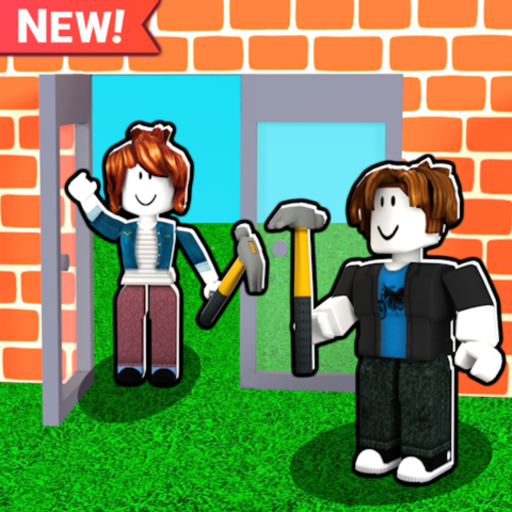
Just Build! shines when friends share one canvas. The experience supports online co-op with up to eight players, autosave between sessions, and the kind of chaotic creativity that only happens when someone arrives mid-build with a better roof idea. This guide covers how to invite friends on Roblox, how to prepare the world before they load in, and how to run a session that does not collapse into eight overlapping walls.
If nobody in your group has played yet, send them Getting Started and How to Play before launch night.
Why invites matter in a sandbox
Competitive games matchmake you. Creative sandboxes punish bad joins: friends land in the wrong server, build on a public plot you cannot edit together, or arrive after you already filled the map with scrap. A clean invite flow is part of the skill—just like placement.
Remember the facts: Just Build! by Awesome Fun Games released 2024-10-01 on Roblox. It is collaborative by design. Your job is to turn “wanna play?” into “same server, same plan, same save.”
Prepare the host world first
Before you ping anyone:
- Join the official Just Build! place yourself.
- Clear a landing zone near your project so newcomers do not spawn inside geometry.
- Place simple marker blocks or paths that say “build here” versus “please don’t touch.”
- Decide the session goal in one sentence.
- Confirm you are okay with up to eight people editing—or set a smaller private friend group on purpose.
Hosts who invite first and plan later spend half the night undoing friendly grief.
Roblox invite patterns that usually work
Exact menu labels change with Roblox client updates, but the patterns stay stable:
- Friends list join: friends can join you from their Roblox friends panel when your joins are allowed.
- Server invite / experience invite: send an invite from the in-experience or Roblox app invite UI when available.
- Chat link coordination: share that you are already in Just Build! and ask them to join your user, not a random public fill.
- Party-style grouping: if your client shows party or group join helpers, form the party before switching experiences when possible.
Privacy settings matter. If a friend cannot join, check whether your account restricts follows or experience invites. Have them send you a join request the other direction as a backup.
Soft launch: invite two before you invite eight
Fill seats slowly:
- Invite one trusted builder.
- Assign roles (structure vs detail).
- Confirm autosave confidence—skim Autosave Explained if anyone is nervous.
- Only then invite the wider friend group up toward the eight-player cap.
Large groups need zone rules. Try quadrants, color claims, or “one person owns roofs.” Mobility passes like Grapple Hook, Flying Cloud, Flying Carpet, Speed Coil, Gravity Coil, Fusion Coil, or 2x Run Speed make it easier to scout zones—but they also make grief faster, so set expectations.
In-session communication template
Paste something like this when people arrive:
- Goal: “Blue cottage + garden path tonight.”
- Zones: “North plot is cottage; south is garden; please leave the east road open.”
- Tools: “Ask before mass delete.”
- End time: “We stop decorating at :50 so autosave and screenshots happen.”
This sounds formal for a Roblox sandbox, but it prevents arguments better than Ban Hammer energy. Speaking of which: Ban Hammer is a Game Pass with social weight—agree on joke rules before someone “moderates” a friend’s statue.
Cross-platform friend groups
Some friends will be on mobile. Point them to Mobile Building and give them detail jobs with larger blocks instead of one-stud precision. PC players can handle fiddly trims. Console-style controllers vary by setup; keep goals visual so nobody needs pixel-perfect chat instructions.
When the group wants inspiration mid-session, open Builds on a second screen instead of arguing taste for twenty minutes. For input confusion, share Controls and Tools.
What not to promise in the invite message
- Free codes for everyone. There are no active public promo codes currently—link Codes if someone asks, and How to Redeem for later.
- Instant max height. Higher Build helps if owned; it is not a free default for every account.
- Scripted money. Keep the group on legitimate play; send cautious readers to Scripts only as a safety article, not a shopping list.
After friends join: keep the world healthy
Watch for lag spikes when eight people place simultaneously. Stagger mega operations. If someone disconnects, wait a moment for them to rejoin before rebuilding their section. Use Updates after patches if invite UI or server behavior changes. For group fit debates (“is this the right game for our Discord?”), share the review and the wiki links hub.
Optional purchases that help hosts: 2x Cash if the group grinds materials together, Paint Blocks for unified palettes, Beach Pack or Winter Pack for themed events. Rank preferences with the tier list rather than peer pressure.
Ending a co-op night cleanly
Call a five-minute warning. Walk the build together. Take screenshots from an agreed vantage point. Thank people for specific contributions (“great roof”). Leave a chat note about the next session’s goal. Autosave should carry the world; your notes carry the plan.
Inviting friends to Just Build! is less about clicking one magic button and more about hosting: same server, clear zones, paced invites, honest expectations. Master that, and your eight-player sandbox nights become the reason people keep returning.
Frequently Asked Questions
Quick answers to the most common questions.
How many friends can play Just Build! together?
The collaborative sandbox supports online co-op with up to eight players. Invite gradually so the group can agree on zones and goals.
Why can’t my friend join my Just Build! server?
Check Roblox privacy and join settings, confirm you are both in the official experience, and try joining from the other person’s friends panel as a backup.
Should I invite everyone before I start building?
No. Prepare a landing zone and a one-sentence goal first, then invite one or two builders before filling all eight slots.
Do friends need the same Game Passes?
No. Passes are per account and optional. Agree on a project that works with mixed mobility and cosmetics.
Will our multiplayer build save for next time?
Just Build! uses autosave. Still end on a clean checkpoint and rejoin together next session if you want to continue the same project.